Personal reading
Explore materials, save reading selections, and resume where you left off using the screen, audio, or your own device.
 edubraille
HOW IT WORKS
The web platform and tactile device work together: prepare reading materials, send the content, and display it as Braille.
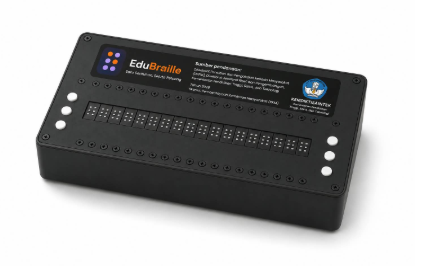
Materials are organized into pages and lines of text. Readers can resume from their previous position.
Text is split into sections that fit the device, then characters are mapped to six-dot patterns.
The EduBraille device receives reading materials from the platform through an internet connection.
Braille cells display tactile patterns. Buttons on the device help readers navigate.
TRY IT YOURSELF
Turn Latin letters into a visual representation of six-dot Braille. This browser simulation does not send data to a physical device.
Use letters a–z and spaces, up to 100 characters. Numbers, punctuation, and capital indicators are not simulated.
20-CELL PREVIEW
Preview: learn
ONE ECOSYSTEM, SEVERAL WAYS TO LEARN
Explore materials, save reading selections, and resume where you left off using the screen, audio, or your own device.
A teacher selects reading materials on the web and sends them to several learners’ Braille devices at once.
Teachers and learners can study from different locations as long as their devices are connected to the internet.
JOIN THE JOURNEY